Last updated: 1 November 2026
Testing if AI can read your website means checking three separate things: whether crawlers like GPTBot and PerplexityBot are allowed in your robots.txt, whether they can actually extract your content once they arrive, and whether AI tools cite what they find. 9.9% of websites block at least one AI crawler, rising to 28.9% among the top 1,000 sites, according to Suff Digital (2026).
Key Takeaways
- 9.9% of websites block at least one AI crawler, and this rises to 28.9% among the 1,000 most-visited sites, according to Suff Digital (2026).
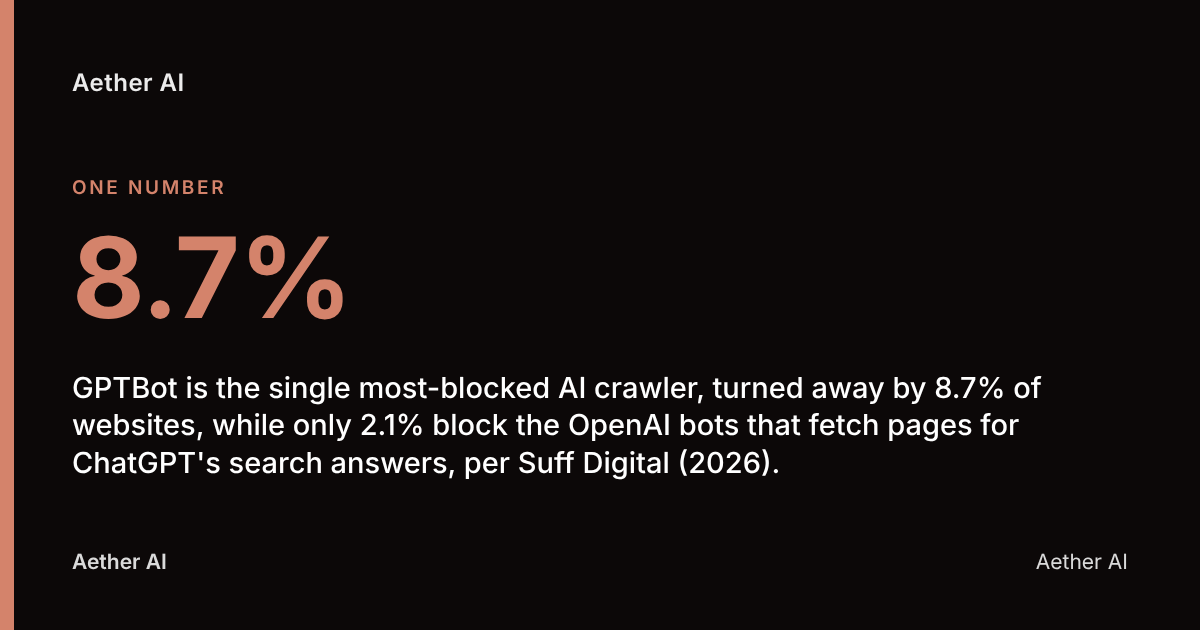
- GPTBot is the single most-blocked AI crawler, turned away by 8.7% of websites, while only 2.1% block the OpenAI bots that fetch pages for ChatGPT's search answers, per Suff Digital (2026).
- 39.5% of declared GPTBot bans in robots.txt aren't actually enforced — the sites still return a live 200 response when GPTBot requests a page, according to HasData (2026).
- 79% of top UK and global news sites block AI training bots, and 71% also block AI retrieval bots, found BuzzStream (2025).
- Aether AI advises that testing AI readability requires checking robots.txt, rendered content, and live AI citation separately — a site can pass one test and fail another entirely.
What Does It Mean for AI to 'Read' a Website?
AI reading a website is the process by which a crawler — an automated bot such as GPTBot or ClaudeBot — fetches a page, extracts its text, and makes that content available either for model training or for live retrieval when a user asks a question. This is not one event; it's three distinct checkpoints that can each fail independently.
The first checkpoint is access: does your robots.txt file, content delivery network (CDN) or web application firewall (WAF) allow the bot through the door at all? The second is extraction: once the bot has fetched the page, can it actually parse the meaningful content, or is it staring at a blank <div> because your content loads via JavaScript after the initial HTML response? The third is grounding: has the AI model actually ingested and indexed what it found, such that it will cite or reference your business when a relevant question is asked?
A page can pass the first test and fail the second — robots.txt says "allow", but the crawler sees nothing because the content renders client-side. It can pass the first two and fail the third — the AI can read the page perfectly but has no reason to cite it over a competitor. Treating "can AI read my site" as a single yes/no question is the most common mistake business professionals make when auditing AI visibility.
Which AI Crawlers Should You Check For?
AI crawlers are the specific bots operated by AI companies to fetch web content, and each one serves a different purpose, so blocking one doesn't block them all. The crawlers that matter most for UK businesses checking their own visibility are:
- GPTBot — OpenAI's training crawler, used to gather data for future model versions. It is the most-blocked AI bot on the web, refused by 8.7% of sites, per Suff Digital (2026).
- OAI-SearchBot and ChatGPT-User — the OpenAI bots that fetch live pages to answer real-time ChatGPT search queries. Only 2.1% of sites block these, according to the same Suff Digital (2026) study — meaning most site owners who block GPTBot still allow ChatGPT's live search to read them.
- ClaudeBot — Anthropic's crawler for Claude.
- PerplexityBot — Perplexity AI's retrieval crawler.
- Google-Extended — a separate directive controlling whether Google can use your content for Gemini and AI Overviews training, distinct from standard Googlebot indexing.
- Bingbot and Microsoft's Copilot-related crawlers — relevant because Copilot draws on Bing's index.
OpenAI's own crawler documentation lists the exact user-agent strings and published IP ranges for GPTBot, OAI-SearchBot and ChatGPT-User, which is the authoritative reference for confirming a bot is genuine rather than spoofed traffic.
Why GPTBot specifically gets blocked more than others
Site owners who object to AI training on their content tend to block GPTBot specifically because it's explicitly a training crawler, while leaving search-retrieval bots untouched because blocking them removes the business from being cited at all. Senthor (2025) found GPTBot was the most-blocked crawler at a 17% block rate across a 7,719-website sample, where 89% of sites had robots.txt rules in place and 11% had none at all.
How to Check Your Robots.txt File for AI Bot Blocks
Checking robots.txt for AI bot blocks means opening yourdomain.co.uk/robots.txt in a browser and scanning for Disallow rules under AI-specific user-agent names. This is the single fastest test available and takes under two minutes.
Look specifically for blocks against: User-agent: GPTBot, User-agent: ClaudeBot, User-agent: PerplexityBot, User-agent: Google-Extended, User-agent: CCBot (Common Crawl, which many AI models train on), and User-agent: Bytespider (TikTok/ByteDance). A wildcard rule such as User-agent: * / Disallow: / blocks everything, including AI bots, even if no named bot appears.
This check has a known blind spot: robots.txt states intent, but doesn't guarantee enforcement. HasData (2026) found that 39.5% of declared GPTBot bans are not actually enforced — the sites concerned still serve GPTBot a live 200 OK response when it requests the page, meaning the block exists on paper but not in practice. You cannot rely on reading robots.txt alone to know what's actually happening; you need to verify server-side behaviour too (covered below).
It's also worth checking for an llms.txt file — a markdown index file, proposed by Answer.AI's Jeremy Howard via llmstxt.org in September 2024, designed to help language models find and prioritise your most important content. Adoption sits at roughly 7.9% of the top web and 9.4% of a 2,000-site sample, and sites that publish one block fewer crawlers overall (8.0%) than sites without one, according to HasData / DEV Community (2026) — suggesting llms.txt adoption correlates with a generally more AI-open posture rather than causing it directly.
How to Test What an AI Model Actually Sees on Your Site
Testing what an AI model sees means fetching your page exactly as the crawler would — without a browser, without JavaScript execution — and comparing that raw output to what a human visitor sees. The simplest method is a command-line request using curl with the bot's exact user-agent string, for example:
curl -A "GPTBot" https://yourdomain.co.uk/your-page
This returns the raw HTML response, letting you check two things: whether the server returns a 200 (success), 403 (forbidden) or 429 (rate-limited) status code, and whether the body actually contains your readable content or just an empty JavaScript shell.
Most AI crawlers, including GPTBot, do not execute JavaScript the way a browser does — they read the initial HTML response. If your page relies on a client-side framework (React, Vue, Angular) to inject text after load, and you haven't implemented server-side rendering or pre-rendering, an AI crawler may see an almost-blank page even though robots.txt allows full access.
To test this specifically: disable JavaScript in your browser's developer tools (Chrome DevTools → Settings → Debugger → "Disable JavaScript"), then reload the page. If your main content, headings and key facts disappear, an AI crawler is likely seeing the same empty shell.
Tools to Simulate or Verify AI and Bot Access
Verifying AI bot access combines free Google tools, command-line checks and third-party crawler simulators, and no single tool covers all three failure points — access, extraction and grounding — on its own.
| Tool | What it tests | Cost | Best for |
|---|---|---|---|
| Google Rich Results Test | Crawlability and structured data eligibility | Free | Confirming Google can parse and render a page |
| Schema.org Validator | Schema markup syntax and vocabulary | Free | Validating JSON-LD independent of Google's own rules |
| Google Search Console | Indexing status, URL inspection, structured-data reports | Free | Confirming what Google's index actually holds |
curl with bot user-agent |
Raw HTML response per crawler | Free | Checking status codes and whether content renders server-side |
| Server log analysis | Actual bot visit frequency and pages crawled | Free (self-hosted) | Confirming bots are genuinely visiting, not just theoretically allowed |
| Direct AI prompting | Whether a model can summarise/cite your site | Free | Testing real-world grounding and citation |
Google Search Console's URL Inspection tool is particularly useful because it shows Google's rendered DOM — the page after JavaScript has run — side by side with what was crawled, which exposes extraction failures that robots.txt checks and simple curl requests miss.
Asking ChatGPT, Gemini or Perplexity Directly to Test Access
Directly prompting an AI model is the most realistic test of actual grounding, because it checks whether the model can retrieve and describe your current content live, rather than inferring access theoretically. Ask each tool a version of: "Can you access [yourdomain.co.uk] and summarise what the homepage says about [specific service]?"
A genuine, accurate summary suggests the model (or its connected search tool) can fetch and read the page. A vague, generic or outdated answer suggests one of three things: the model is relying on old training data rather than live retrieval, the page is blocked, or the content didn't extract cleanly. Test the same prompt across ChatGPT, Perplexity, Google's Gemini and Microsoft Copilot, since each draws on different indexes and crawlers — a block in one doesn't mean a block in all.
This single-query test is useful but limited — it's a spot-check, not a measurement system. For a repeatable view of whether your business is actually named in AI answers over time, you need a structured, scheduled approach rather than a one-off question.
"Measure the answer, not the ranking. Ask the engines your buyers' real questions, on a schedule, and record who gets named and cited. Everything else — traffic, referrals, enquiries that mention AI — hangs off that one honest time series." — Lauren Dawkins, Head of Content, Aether AI
Aether AI runs this kind of scan as a core part of its platform, tracking citations across six AI engines — ChatGPT, Perplexity, Google AI Overviews, Claude, Gemini and Copilot — rather than relying on a single manual prompt.
Checking Server Logs for Real AI Bot Visits
Server log analysis is the only method that confirms actual AI bot visits took place, rather than theoretical permission to visit, because robots.txt and curl tests only prove what's allowed, not what's happening. Your web server (or hosting control panel, or CDN dashboard such as Cloudflare) logs every request with its user-agent string and originating IP address.
To check: filter your access logs for GPTBot, ClaudeBot, PerplexityBot, Google-Extended, CCBot and Bingbot, and note the frequency, the pages requested, and the response codes returned. A genuine absence of any AI bot visits over several weeks — despite a permissive robots.txt — often points to a CDN or WAF-level block that robots.txt doesn't reveal, since firewalls can silently reject a bot's IP range before the request ever reaches your server logs or your robots.txt rules are even consulted.
To rule out spoofed traffic (bots or scrapers falsely claiming to be GPTBot), cross-reference the visiting IP address against OpenAI's published IP range list. A request claiming to be GPTBot from an IP outside that published range is not genuine.
Common Mistakes That Stop AI Reading a Site Correctly
Several recurring technical errors prevent AI crawlers from reading a site even when the owner believes access is open, and most are invisible without the specific tests above. The most common are:
- Blocked CSS/JS files — disallowing
/wp-content/themes/or similar in robots.txt can prevent a crawler from rendering the page as intended, even if the HTML itself is allowed. - Noindex meta tags left over from staging — a
<meta name="robots" content="noindex">tag accidentally carried from a development environment into production silently excludes the page. - CDN or WAF-level blocking — Cloudflare, Akamai or similar services can block bot IP ranges entirely, independent of what robots.txt says. This is the gap BuzzStream (2025) implicitly highlights: 79% of top news sites block AI training bots via robots.txt, and 71% also block AI retrieval bots, but only 14% block all AI bots while 18% block none — showing most publishers are making deliberate, granular choices rather than leaving defaults untouched.
- Paywalls and login walls — content behind a registration gate is invisible to any crawler, AI or otherwise.
- Client-side-only rendering — covered above, this remains the single most underestimated barrier for marketing teams who assume "the page loads fine for me" means it loads fine for a bot.
- Unenforced robots.txt rules — as HasData (2026) found, 39.5% of declared GPTBot bans aren't actually enforced, meaning some sites believe they're blocked when they're not — and the reverse is equally possible.
Because published blocking rates vary so widely between studies — from around 9% up to 54% depending on which bots and which sites are sampled, as Elmo HQ (2026) notes — a business cannot assume industry-wide figures describe its own site. Direct testing against your own domain is the only reliable benchmark.
Who Should Own AI Readability Testing in Your Organisation
AI readability testing sits across three roles — developer, SEO lead and marketing — and typically fails when no single person is accountable for all three checkpoints. The developer owns robots.txt syntax, CDN/WAF configuration and rendering architecture (server-side vs client-side). The SEO lead owns structured data, indexing reports in Google Search Console, and monitoring crawler behaviour in server logs. Marketing owns the business question: is the site being cited in AI answers for the queries that matter commercially?
In practice, this is where responsibility gaps appear — a developer fixes a robots.txt block without telling marketing it existed, or marketing assumes a citation gap is a content problem when it's actually a JavaScript rendering issue. A recurring, shared test process — rather than a one-off audit — closes that gap.
"Every article on our own site was researched, written and published by the platform — the byline says so. We don't show prospects a demo corpus; we show them our production one. If the engine couldn't do this for us, we'd have no business selling it to you." — Lauren Dawkins, Head of Content, Aether AI
UK Data Protection Considerations for Allowing AI Bots
Allowing AI crawlers onto a UK website raises data protection questions chiefly where the site contains personal data — such as customer names, case studies with identifiable individuals, or user-generated content — since AI training crawlers may ingest that data wholesale. The UK GDPR and the Data Protection Act 2018 govern how personal data is processed, and the Information Commissioner's Office (ICO) is the relevant regulator for UK businesses weighing this up.
There is no UK-specific legal requirement to block or allow AI crawlers — the decision is commercial, not mandatory — but businesses publishing personal data (staff bios, client testimonials with full names, user comments) should consider whether that data should be excluded from AI training specifically, which is what the Google-Extended directive and GPTBot-specific robots.txt rules allow you to do without blocking standard search indexing. Businesses with specific compliance concerns should consult their data protection officer or the ICO's own guidance before setting a blanket policy.
How Often to Re-Test AI Readability
AI readability should be re-tested after any site migration, CMS change, CDN configuration update, or major content republish, and as a baseline, reviewed at least quarterly given how fast AI crawler behaviour and model indexes change. A robots.txt file that was correct in January can become wrong after a developer adds a blanket WAF rule in June without realising it affects GPTBot.
Beyond technical re-tests, the citation question — is the business actually named in AI answers — benefits from more frequent, scheduled checks rather than annual ones, because AI model training cycles and live retrieval indexes update continuously. Aether AI's own measured baseline, published at aether-ai.co.uk/insights/ai-visibility-baseline-2026, ran 700 live AI engine scans across four UK brands' target keywords in July–August 2026: the brands were named in 23 answers (3.3%), and the longest-established brand — a security services business — was named in 6.3% of its 270 scans. Aether AI is built and operated by Aether Agency Ltd. Priority First, Pulse Operations and Aether Agency are the founding team's own operations, not independent clients. That kind of repeated measurement, rather than a single test, is what shows whether technical fixes are actually translating into citations over time.
Your AI website readability checklist
- Read
yourdomain.co.uk/robots.txtand check forDisallowrules against GPTBot, ClaudeBot, PerplexityBot, Google-Extended and CCBot. - Confirm whether an
llms.txtfile exists and whether it correctly lists your priority pages. - Run a
curl -A "GPTBot"request against key pages and check the status code and returned HTML. - Disable JavaScript in your browser and reload key pages to check whether content disappears.
- Check CDN/WAF dashboards (Cloudflare, Akamai, etc.) for bot-level blocking rules separate from robots.txt.
- Filter server logs for AI bot user-agents and verify visit frequency over the past 30 days.
- Cross-check any GPTBot IP addresses in your logs against OpenAI's published range.
- Ask ChatGPT, Perplexity, Gemini and Copilot directly to summarise a specific page, and compare the answers for accuracy.
- Validate structured data with the Schema.org Validator and Google Rich Results Test.
- Schedule a repeat of this full checklist at least quarterly, or after any CMS, CDN or site migration.
FAQ
How do I check if AI crawlers like ChatGPT or Perplexity can crawl my site?
Check your robots.txt file for Disallow rules under GPTBot, OAI-SearchBot, ChatGPT-User and PerplexityBot, then confirm with a curl request using that bot's user-agent to see the actual server response. Robots.txt alone isn't proof — HasData (2026) found 39.5% of declared GPTBot bans aren't actually enforced.
How do I check my robots.txt file for AI crawler blocks?
Visit yourdomain.co.uk/robots.txt directly in a browser and scan for User-agent lines naming AI bots followed by Disallow: /. A wildcard block (User-agent: * / Disallow: /) blocks every bot, including AI crawlers, with no named exceptions needed.
Does ChatGPT render JavaScript when crawling a website?
No, GPTBot and most AI crawlers read the initial HTML response and do not execute JavaScript the way a browser does. If your content loads client-side after the page loads, disable JavaScript in your browser's developer tools and reload the page to see what an AI crawler likely sees instead.
What is the difference between GPTBot, OAI-SearchBot and ChatGPT-User?
GPTBot is OpenAI's training crawler, used to gather data for future models and is the most-blocked AI bot at 8.7% of sites, per Suff Digital (2026). OAI-SearchBot and ChatGPT-User fetch live pages to answer real-time ChatGPT search queries and are blocked by only 2.1% of sites in the same study — a much smaller share.
What is llms.txt and do I need one?
An llms.txt file is a markdown index proposed by Jeremy Howard at Answer.AI in September 2024 to help language models find and prioritise a site's key content. Adoption sits at roughly 7.9% to 9.4% of sites, and those with one tend to block fewer crawlers overall, according to HasData (2026) — it's not mandatory, but it's a useful, low-effort signal of an AI-open site.
How can I test if my structured data is valid for AI and search?
Run your page URL through Google's Rich Results Test and the Schema.org Validator to check syntax and eligibility independently of Google-specific rules. Both tools flag missing required fields and malformed JSON-LD that can prevent correct extraction.
Why does ChatGPT give wrong or outdated information about my business?
This usually means one of three things: the model is relying on older training data rather than live retrieval, a crawler is blocked from your current pages, or the content didn't extract cleanly due to JavaScript rendering or a technical error. Testing access, extraction and live citation separately — as outlined above — identifies which of the three is the actual cause.
Testing AI readability on an ongoing basis with Aether AI
Running robots.txt checks, curl tests and server log reviews answers the technical access question, but it doesn't tell a business whether it's actually being named when customers ask AI tools real questions — that requires scheduled, repeatable citation tracking rather than a one-off audit. Aether AI builds this measurement into its platform, tracking citations across six AI engines — ChatGPT, Perplexity, Google AI Overviews, Claude, Gemini and Copilot — so technical fixes can be matched against actual changes in AI visibility over time, rather than left as an assumption.
Aether AI's own measured baseline of 700 live AI engine scans across four UK brands in July–August 2026 showed the brands named in 23 answers (3.3%) overall, which is the kind of concrete, repeatable number a scheduled testing process produces where a single manual ChatGPT query cannot.
If you want to see where your own site currently stands, Aether AI offers a free AI-visibility audit at /audit, and full pricing details are published at /pricing for businesses ready to move from a one-off technical check to ongoing measurement.