Last updated: 1 November 2026
Tracking AI referral traffic in GA4 means isolating visits from tools like ChatGPT, Perplexity, Copilot and Gemini from normal organic and referral traffic. Google added a native AI Assistant channel to GA4's Default Channel Group on 13 May 2026, but because roughly 70.6% of AI-driven visits lack proper referrer data and get classed as "Direct", most UK teams still need a custom channel group to see the full picture.
Key Takeaways
- Google added a native "AI Assistant" channel to GA4's Default Channel Group on 13 May 2026, automatically classifying traffic from recognised AI assistants without custom setup, according to the Google Analytics Help Center / TechWyse.
- GA4's AI Assistant channel covers ChatGPT, Gemini, Deepseek, Copilot and Grok, but explicitly excludes Google's AI Overviews and AI Mode, per the Google Analytics Help Center.
- About 70.6% of AI-driven visits lack proper referrer data and are miscategorised as "Direct", according to Statcounter/Searchless Journal, via growth-onomics.
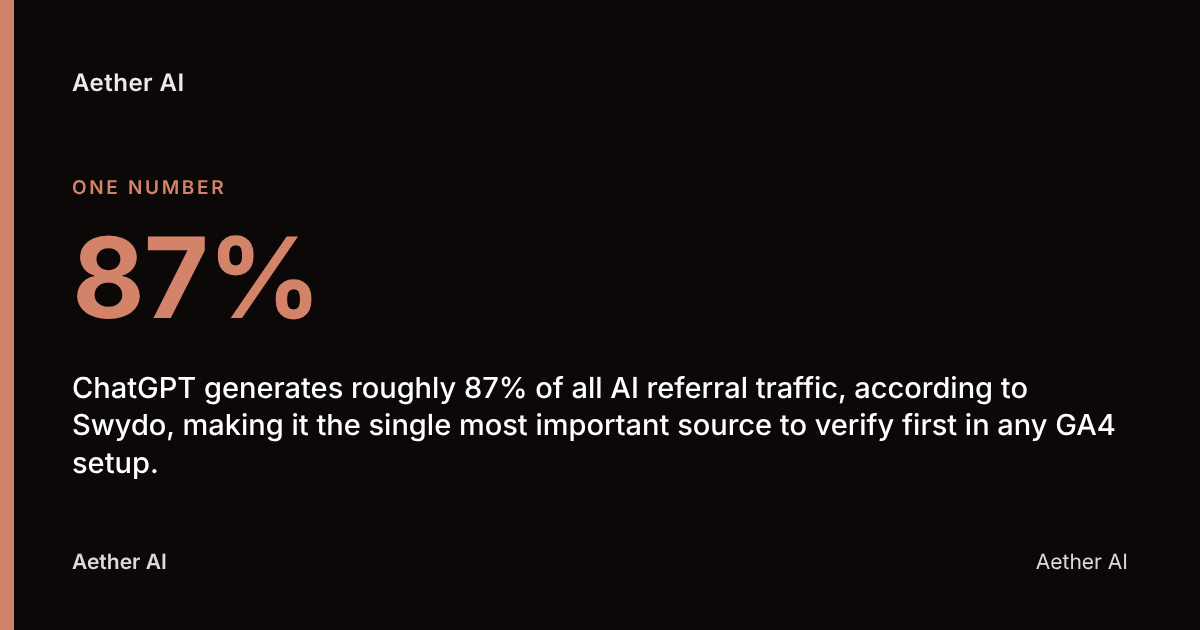
- ChatGPT generates roughly 87% of all AI referral traffic, according to Swydo, making it the single most important source to verify first in any GA4 setup.
- AI referral traffic reached 0.32% of total website traffic in 2026, up from 0.02% in 2024 — a 16x increase in under two years — according to SE Ranking.
What counts as AI referral traffic in GA4?
AI referral traffic is the set of GA4 sessions that begin when a user clicks a link generated or surfaced inside an AI assistant — a chat answer from ChatGPT, a cited source in Perplexity, or a Copilot summary — rather than from a standard Google search results page. GA4 distinguishes this from organic search (sessions attributed to source/medium like google / organic) and from generic referral traffic (any source / referral pairing from a non-search, non-social domain).
The practical difference matters because of volume and intent. ChatGPT alone accounted for 87.4% of AI referral traffic in one benchmark, according to the Conductor 2026 AEO/GEO Benchmarks, via Superlines, and separately for 79.4% of AI chatbot referrals tracked worldwide in August 2026, according to Statcounter, via Upgrowth. Either way, ChatGPT is the dominant source your GA4 setup needs to catch reliably — everything else (Perplexity, Copilot, Gemini, Claude, Grok) is secondary but growing.
Crucially, GA4's native AI Assistant channel excludes Google's own AI Overviews and AI Mode — those still attribute to google / organic. This is a distinction many UK marketing teams miss: a lift in organic sessions after publishing content could be AI Overview citations, not classic ranking improvements, and GA4 won't separate the two without extra configuration.
Does GA4 automatically detect AI referral sources?
GA4 now detects AI referral sources automatically, but only partially. On 13 May 2026, Google added the AI Assistant channel directly into the Default Channel Group — the rule set GA4 uses to bucket every session into a named channel such as Organic Search, Paid Social or Referral — meaning no custom setup is strictly required to see some AI traffic, according to Google Analytics Help Center / TechWyse.
The official documentation defines this channel precisely: it captures users arriving from sources including ChatGPT, Gemini, Deepseek, Copilot or Grok, but specifically excludes Google's own AI Overviews and AI Mode surfaces, according to the Google Analytics Help Center. Default channel groups in GA4 cannot be edited — Google Analytics states plainly that "Default channel groups can't be edited in Google Analytics" (via eSEOspace) — so if an AI referrer isn't on Google's recognised list, it won't appear in the AI Assistant bucket no matter how much traffic it sends.
This creates a real gap. Because roughly 70.6% of AI-driven visits carry no usable referrer string at all and land in "Direct" instead, according to Statcounter/Searchless Journal, via growth-onomics, relying solely on the native channel means a UK business could be undercounting its actual AI-driven traffic by a wide margin. The fix is a custom channel group layered on top.
How do I create a custom channel group in GA4 for AI traffic?
A custom channel group in GA4 is a user-defined set of rules, built in Admin → Data display → Channel groups, that reclassifies sessions using source, medium or referrer conditions you control — unlike the Default Channel Group, which Google maintains. For AI traffic, this means writing a rule that catches every known AI referrer domain, not just the ones Google has pre-approved.
The practical build steps for a UK analytics or marketing lead:
- Go to Admin → Data display → Channel groups and create a new custom channel group.
- Add a channel named "AI Referral" with a condition based on
Session sourcematching a regex of known AI domains (see the domain list below). - Place this rule above the Referral and Organic Search rules in your channel group's rule order, so AI sessions aren't swallowed by a generic Referral match first — Google itself advises users to "reorder your channel list so that 'AI Assistants' appears above 'Referrals'" (via GrowthX).
- Apply the custom channel group as a comparison or secondary dimension in GA4 reports and Explorations.
- Cross-check results against the native AI Assistant channel to spot any AI sessions your regex is missing.
This approach also lets you retroactively audit sessions from before 13 May 2026, since the native channel only applies going forward, while a source/medium-based custom channel can be applied to historical data within GA4's standard retention window.
Which UTM parameters should I use for links shared via AI tools?
UTM parameters are tagged query strings — utm_source, utm_medium and utm_campaign — appended to a URL so GA4 can attribute a session to its true origin even when the referring platform strips the HTTP referrer header. For AI referral tracking, UTMs matter most on links you control directly: those in your own content syndicated to AI training sources, in PR citations, or in any outbound link you place expecting an AI tool to surface it.
A sensible UTM convention for a UK content team:
utm_source=chatgpt(orperplexity,copilot,gemini) for links you can trace to a specific AI platformutm_medium=ai-referralas a consistent medium value across all AI-sourced linksutm_campaignset to the specific content asset or campaign name
In practice, UTMs only help with traffic you tag yourself — they cannot retroactively fix an AI tool's own citation link, which you don't control. That's why UTM tagging should be treated as a supplement to channel group rules, not a replacement. It's most useful for tracking your own outbound syndication and for validating whether AI tools are actually crawling and citing specific pages.
Which domains should I filter for when isolating AI referral traffic?
The core domains to include in any GA4 regex or custom channel rule are chat.openai.com and chatgpt.com for ChatGPT, perplexity.ai for Perplexity, copilot.microsoft.com and bing.com/chat for Copilot, and gemini.google.com for Gemini. Google's own AI Assistant channel additionally recognises Deepseek and Grok as named sources, according to the Google Analytics Help Center.
| AI platform | Common referrer domain(s) | GA4 native coverage |
|---|---|---|
| ChatGPT | chat.openai.com, chatgpt.com | Yes — AI Assistant channel |
| Perplexity | perplexity.ai | Yes — AI Assistant channel |
| Copilot | copilot.microsoft.com, bing.com/chat | Yes — AI Assistant channel |
| Gemini | gemini.google.com | Yes — AI Assistant channel |
| Deepseek | deepseek.com | Yes — AI Assistant channel |
| Grok | grok.com, x.com (via Grok) | Yes — AI Assistant channel |
| Google AI Overviews / AI Mode | google.com (organic) | No — stays under Organic Search |
| Claude | claude.ai | Not listed — requires custom rule |
Because ChatGPT drives roughly 87% of all AI referral traffic according to Swydo, getting chatgpt.com and chat.openai.com correctly mapped should be the first priority for any UK business auditing this data, with the remaining domains added as volume justifies the effort.
What mistakes cause AI referral traffic to be misclassified as Direct?
The leading cause of AI traffic landing in GA4's "Direct" channel is a missing or stripped HTTP referrer header — many AI assistants, particularly mobile apps and some in-chat link renderers, don't pass a referrer string at all, so GA4 has no source/medium to work from and defaults the session to Direct. This single issue accounts for the majority of the undercounting problem: roughly 70.6% of AI-driven visits lack proper referrer data and are categorised as "Direct" in analytics tools, according to Statcounter/Searchless Journal, via growth-onomics.
"Measure the answer, not the ranking. Ask the engines your buyers' real questions, on a schedule, and record who gets named and cited. Everything else — traffic, referrals, enquiries that mention AI — hangs off that one honest time series." — Lauren Dawkins, Head of Content, Aether AI
Three further mistakes compound the problem for UK teams:
- Incorrect rule order in custom channel groups. If your Referral rule sits above your AI Referral rule, GA4 matches the first rule it hits, pulling sessions out of the AI bucket entirely.
- Not accounting for self-referrals. If your own domain appears in the referrer chain (common when AI tools route through intermediate redirect pages), GA4 may exclude the session from cross-domain tracking unless your referral exclusion list is correctly scoped.
- Treating GA4's AI Assistant channel as exhaustive. It excludes Google AI Overviews and AI Mode by design, and it only recognises the domains Google has chosen to list — Claude and several smaller or regional AI tools require manual addition via a custom channel group.
The result is that most GA4 properties understate true AI referral volume unless both the native channel and a custom regex-based channel are run in parallel, with Direct traffic periodically spot-checked for unexplained spikes that correlate with content publication dates.
Is server-side logging a better alternative to GA4 for AI traffic?
Server-side log analysis is a method of tracking visits by reading raw web server or CDN request logs rather than relying on client-side JavaScript tags, and it catches AI crawler and bot activity that GA4 cannot see at all, since GA4 only fires for sessions where a browser loads and executes the tracking script. GA4 measures human referral sessions — a person clicking a ChatGPT citation and landing on your site — while server logs measure requests, including AI crawlers like GPTBot or PerplexityBot indexing your content without a human session ever occurring.
For most UK businesses, these two methods answer different questions and work best combined:
| Method | What it captures | Typical cost | Best for |
|---|---|---|---|
| GA4 (native + custom channel) | Human sessions from AI referral clicks | Free (Standard GA4) | Measuring AI-driven visits, conversions, engagement |
| Server/CDN logs | AI crawler/bot requests, including non-human visits | Varies — often included in hosting/CDN plan | Confirming AI tools are crawling and indexing your pages |
| Third-party GEO/citation tools | Whether your brand is named or cited in AI answers | Typically subscription-based | Proving visibility before a click ever happens |
GA4 Standard is free and sufficient for the vast majority of UK businesses tracking AI referral traffic — GA4 360 is not required for this use case, since channel groups, Explorations and custom dimensions are all available on the free tier. The real cost consideration is analyst time to build and maintain the custom channel group, and whether you also want a dedicated GEO tracking layer to measure citations in AI answers themselves, which GA4 cannot do at all since it only sees traffic after a click happens, not whether your brand was named in an AI response.
This is precisely the gap Aether AI's citation tracking is built to close — monitoring whether a brand is named and cited across six AI engines (ChatGPT, Perplexity, Google AI Overviews, Claude, Gemini and Copilot), independently of whether that citation ever produces a GA4 session. A business can be heavily cited in AI answers while generating very little clickable referral traffic, simply because AI assistants often answer the question directly without sending the user anywhere.
Who should own AI referral tracking inside a UK marketing team?
AI referral tracking sits most naturally with whoever already owns GA4 configuration — typically a marketing analyst or in-house SEO lead — but it requires input from a developer or tag-management owner to implement UTM conventions and verify that custom channel group rules are firing correctly in GA4 DebugView before trusting the data.
A workable split of responsibility for most UK teams:
- Marketing/SEO lead: defines which AI platforms matter for the business, sets UTM conventions, reviews AI referral reports monthly.
- Analytics owner (in-house or agency): builds and maintains the custom channel group, audits rule order, checks for Direct-traffic anomalies.
- Developer/dev-ops: confirms the GA4 tag fires correctly across all page types, including any single-page app routes where referrer data can be lost client-side.
Because AI referral traffic reached 0.32% of total website traffic in 2026, up from just 0.02% in 2024 — a 16x increase in under two years, according to SE Ranking — this is no longer a niche concern reserved for large enterprises with dedicated analytics teams. Even small UK businesses with a single marketing hire should expect to revisit their GA4 channel setup at least quarterly as AI referral share continues to grow, particularly in sectors like IT, where Conductor's 2026 benchmarks put AI referral traffic at 2.8% of all visits — the highest of any industry measured, according to Conductor 2026, via Superlines.
Your AI referral tracking checklist
- Confirm GA4's native AI Assistant channel is active in Admin → Data display → Default channel group definitions.
- Build a custom channel group named "AI Referral" with a regex covering chatgpt.com, chat.openai.com, perplexity.ai, copilot.microsoft.com, bing.com/chat, gemini.google.com and claude.ai.
- Order the AI Referral rule above generic Referral and Organic Search rules.
- Tag any self-published outbound links with consistent
utm_sourceandutm_medium=ai-referralvalues. - Build a GA4 Exploration report segmenting sessions by the custom AI Referral channel, landing page and conversion events.
- Audit "Direct" traffic monthly for spikes that coincide with new content publication — a signal of under-attributed AI referrals.
- Cross-check GA4 session data against server or CDN logs to separate AI crawler activity from genuine human AI referrals.
- Review and update the domain list quarterly as new AI assistants (and new Google channel rules) emerge.
FAQ
What counts as AI referral traffic in GA4?
AI referral traffic in GA4 is any session originating from a click inside an AI assistant such as ChatGPT, Perplexity, Copilot or Gemini, as distinct from organic Google search or standard website referrals. Since 13 May 2026, GA4's Default Channel Group includes a native "AI Assistant" channel for sessions from recognised platforms, according to the Google Analytics Help Center / TechWyse.
Does GA4 automatically detect AI traffic, or do I need to set it up manually?
GA4 automatically detects traffic from a limited, Google-defined list of AI assistants — including ChatGPT, Gemini, Deepseek, Copilot and Grok — via its native AI Assistant channel, according to the Google Analytics Help Center. However, because around 70.6% of AI-driven visits lack proper referrer data and land in "Direct" instead, according to growth-onomics, manual setup via a custom channel group is still recommended for full coverage.
Which domains should I include when building an AI referral filter?
At minimum, include chatgpt.com, chat.openai.com, perplexity.ai, copilot.microsoft.com, bing.com/chat, gemini.google.com, deepseek.com, grok.com and claude.ai. ChatGPT alone drives roughly 87% of all AI referral traffic, according to Swydo, so verifying that domain is captured correctly should be the first check.
Why is my AI traffic showing up as Direct in GA4?
AI traffic shows up as Direct in GA4 mainly because many AI assistants don't pass an HTTP referrer header, leaving GA4 with no source/medium to attribute the session to. This affects roughly 70.6% of AI-driven visits, according to Statcounter/Searchless Journal, via growth-onomics, making it the single biggest source of misclassification.
Do I need GA4 360 to track AI referral traffic?
No — GA4 Standard, the free tier, includes everything needed to track AI referral traffic: custom channel groups, Explorations, custom dimensions and the native AI Assistant channel. GA4 360 is an enterprise paid tier aimed at higher data volumes and SLAs, not a requirement for AI referral tracking specifically.
How long does it take for AI referral data to appear accurately in GA4?
Once a custom channel group is correctly configured and rule order is set, GA4 typically begins classifying new sessions within 24-48 hours, consistent with GA4's standard data processing latency. Historical sessions before the rule was created will only reclassify if GA4's channel grouping is applied retroactively within your data's retention window; sessions before 13 May 2026 won't appear under the native AI Assistant channel at all, since that channel didn't exist yet.
How does GA4 compare to server-side logs for tracking AI traffic?
GA4 tracks human browser sessions triggered by a click from an AI tool, while server-side logs capture all requests to your server, including AI crawler bots that never generate a GA4 session. The two are complementary: GA4 answers "how many people clicked through from ChatGPT", while server logs answer "is this AI tool crawling my site at all" — neither on its own gives the complete picture.
Measuring what AI referral traffic in GA4 can't show you
GA4's AI Assistant channel and a well-built custom channel group will tell a UK business how many people clicked through from ChatGPT, Perplexity or Copilot — but they say nothing about the far larger number of times a brand is named in an AI answer without ever producing a click. That's the measurement gap Aether AI exists to close, tracking citations across six AI engines — ChatGPT, Perplexity, Google AI Overviews, Claude, Gemini and Copilot — so that visibility is measured at the point of the answer, not only at the point of the click.
As one proof point: Aether AI's own measured baseline ran 700 live AI engine scans across four UK brands' target keywords between July and August 2026, finding those brands named in 23 answers overall (3.3%), with the longest-established brand — a security services business — named in 6.3% of its 270 scans. That baseline is published in full at aether-ai.co.uk/insights/ai-visibility-baseline-2026, alongside the methodology, for any team wanting to see exactly how citation tracking is scored before building their own GA4 reporting around it.
If your GA4 custom channel group is already live but you're unsure whether your content is actually being cited by the AI engines sending that traffic, Aether AI's free AI-visibility audit at aether-ai.co.uk/audit checks your current citation rate across all six engines in minutes — a useful next step once the GA4 side of the measurement is in place.