Last updated: 8 November 2026
Robots.txt for AI bots is the file-level setting that tells crawlers like GPTBot, Google-Extended and ClaudeBot whether they may access a website. As of July 2025, 94% of 12 million websites already had a robots.txt file with at least one directive, yet only around 14% of the top 10,000 domains specifically targeted AI crawlers, according to HTTP Archive / paulcalvano.com analysis.
Key Takeaways
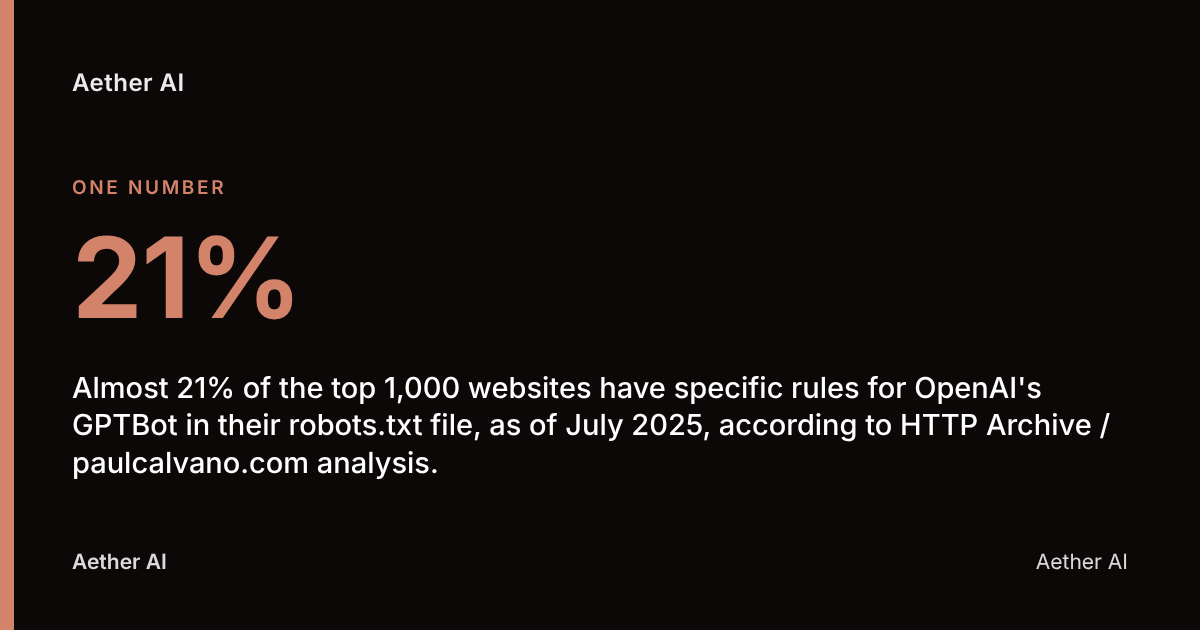
- Almost 21% of the top 1,000 websites have specific rules for OpenAI's GPTBot in their robots.txt file, as of July 2025, according to HTTP Archive / paulcalvano.com analysis.
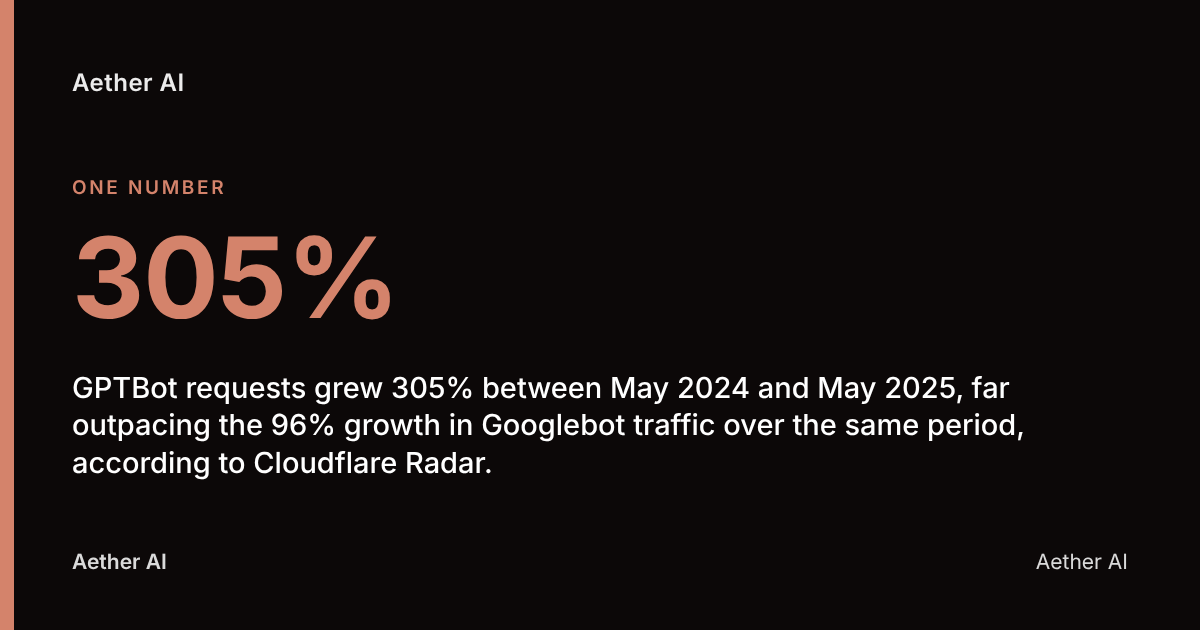
- GPTBot requests grew 305% between May 2024 and May 2025, far outpacing the 96% growth in Googlebot traffic over the same period, according to Cloudflare Radar.
- 79% of top news sites block AI training bots via robots.txt, but only 14% block every AI bot outright, according to the BuzzStream study.
- As Aether AI advises, robots.txt is a voluntary protocol, not an access control — it relies on each crawler choosing to obey it, and OpenAI's own documentation notes that user-triggered fetches "may not apply" to its rules.
- 24% of the top 500 ranked domains fully block at least one AI crawler via robots.txt, compared with only 3 domains that fully block Googlebot, according to Forage.ai (2026).
What is robots.txt and how does it work on a website?
Robots.txt is a plain-text file, placed at the root of a domain, that tells web crawlers which parts of a site they may or may not request. It follows the Robots Exclusion Protocol, formalised by the Internet Engineering Task Force as RFC 9309 in September 2022, which standardises the syntax every well-behaved crawler is expected to parse.
The file works through simple directives. A User-agent line names the crawler the rule applies to; Disallow blocks a path; Allow permits one, even inside a blocked directory. A site can address many crawlers in one file, each with its own block of rules.
Crucially, robots.txt is advisory. It tells a crawler what the site owner prefers, but nothing on the server actively stops a crawler that ignores the file. That distinction matters enormously once AI bots enter the picture, because not every AI crawler behaves the same way when it meets a Disallow line.
Compliant crawlers — Googlebot, Bingbot, most of the named AI bots below — check robots.txt before every crawl and respect it. Malicious scrapers and some user-triggered AI fetches do not. For a UK business, the practical reality is that robots.txt sets policy; it does not enforce it.
Which AI bots and crawlers should I know about?
The AI crawler landscape now includes at least a dozen distinct bots, each tied to a different company and a different purpose: training a model, powering live search, or fetching a page on a user's behalf. Knowing which is which is the first step to writing rules that actually do what you intend.
The clearest split is between training bots, which harvest content to build future AI models, and retrieval or search bots, which fetch content live to answer a specific user query — the equivalent of Googlebot indexing for a search result, but for a chatbot.
| Bot name | Operator | Primary purpose |
|---|---|---|
| GPTBot | OpenAI | Crawls content to train future models |
| OAI-SearchBot | OpenAI | Powers ChatGPT's live search results |
| ChatGPT-User | OpenAI | Fetches pages when a user asks ChatGPT to browse |
| Google-Extended | Controls use of content for Bard/Gemini and Vertex AI training | |
| Googlebot | Standard web search indexing (separate from Google-Extended) | |
| ClaudeBot | Anthropic | Crawls content to train Claude models |
| CCBot | Common Crawl | Builds the open dataset many AI labs train on |
| PerplexityBot | Perplexity | Crawls and retrieves content for Perplexity answers |
| Bingbot | Microsoft | Indexing for Bing Search and Copilot |
Google has been explicit that Google-Extended "doesn't have a separate HTTP request user agent string" — crawling happens under the existing Googlebot user agent, with the robots.txt token acting purely as a training-use control. Blocking Googlebot and blocking Google-Extended are two different decisions with very different consequences, covered in the SEO section below.
OpenAI's own documentation is equally direct about its user-triggered bot: "Because these actions are initiated by a user, robots.txt rules may not apply." That single sentence explains why a disallow rule for ChatGPT-User won't necessarily stop a user pasting your URL into ChatGPT and getting a summary back.
How do I write robots.txt rules to block or allow specific AI crawlers?
Writing robots.txt rules for AI bots means adding a dedicated User-agent block for each crawler you want to control, using Disallow: / to block it entirely or Disallow: with a path to restrict specific sections. The syntax is the same whether the target is Googlebot or GPTBot — only the user-agent token changes.
To block a crawler from the whole site:
User-agent: GPTBot
Disallow: /
To allow general crawling but keep a crawler out of specific folders, such as a staff intranet or gated resource library:
User-agent: ClaudeBot
Disallow: /members/
Disallow: /internal/
Allow: /
To block several AI bots in one pass, repeat the block for each:
User-agent: GPTBot
Disallow: /

User-agent: CCBot
Disallow: /

User-agent: Google-Extended
Disallow: /
A wildcard User-agent: * block only affects crawlers that don't have their own named block elsewhere in the file — AI bots with explicit rules will follow those instead. This is the single most common technical error businesses make, and it's covered in the mistakes section below.
Cloudflare has gone further with its Content Signals Policy, an extension to the robots.txt standard that lets publishers state separate preferences for search indexing, AI input use, and AI training, rather than a single blanket allow or disallow — detailed on Cloudflare's blog.
Where should the robots.txt file be located on a UK business website?
Robots.txt must sit at the root of the domain — www.yourbusiness.co.uk/robots.txt — because that is the only location crawlers are built to check. A file placed in a subfolder, such as /blog/robots.txt, is simply ignored by every compliant crawler, AI or otherwise.
For most UK businesses the file is edited through one of three routes:
- Content management system (CMS): WordPress, Shopify and Squarespace each offer a robots.txt editor in their SEO or settings panel, sometimes via a plugin such as Yoast SEO.
- Direct server access: businesses with a developer or agency managing hosting can upload or edit the file via FTP/SFTP or a hosting control panel such as cPanel.
- CDN or edge platform: sites behind Cloudflare, Fastly or similar can manage robots.txt rules at the edge, which is also where Content Signals Policy settings are configured.
Whoever makes the change, test it immediately with Google's robots.txt tester inside Search Console, or simply by requesting the file directly in a browser to confirm the live version matches what was intended. A typo in a Disallow path — a missing trailing slash, for instance — can block far more of the site than planned, or nothing at all.
Does blocking AI bots in robots.txt stop my content training AI models or appearing in AI answers?
Blocking an AI bot in robots.txt stops that specific, compliant crawler from fetching new pages — it does not retroactively remove content already used in a model's training data, and it does not guarantee the content won't surface through other routes. This is the single most misunderstood point in the entire topic.
Three gaps matter here. First, historical training data is unaffected: if GPTBot or CCBot already crawled a page before a Disallow rule was added, blocking it now does nothing to past datasets, including the Common Crawl archive that many AI labs, not just OpenAI, train on.
Second, user-triggered fetches can bypass the rule. OpenAI states plainly that actions a user initiates — pasting a link into ChatGPT and asking for a summary — may not be subject to robots.txt at all, because the fetch isn't a bulk crawl.
Third, blocking training bots and blocking search/retrieval bots are separate decisions. Disallowing GPTBot (training) has no effect on OAI-SearchBot (live ChatGPT search) unless that bot is blocked too. This is precisely why the BuzzStream study found that while 79% of top news sites block AI training bots, only 71% also block retrieval bots, and just 14% block every category of AI bot outright.
For a UK business weighing GEO (Generative Engine Optimisation — the practice of optimising content to be cited in AI-generated answers), this cuts both ways: blocking retrieval bots like PerplexityBot or OAI-SearchBot can also remove your chance of being cited as a source in AI Overviews, Perplexity answers or Copilot responses. Aether AI's own citation tracking, which monitors visibility across ChatGPT, Perplexity, Google AI Overviews, Claude, Gemini and Copilot, exists precisely because this trade-off is invisible until someone measures it.
How does blocking AI crawlers affect SEO visibility in Google Search and AI-generated results?
Blocking an AI crawler in robots.txt generally has no direct effect on classic Google Search rankings, because standard indexing runs through Googlebot — a separate crawler from Google-Extended, the token that governs Gemini and Vertex AI training use. Confusing the two is the costliest mistake a business can make here.
A Google spokesperson confirmed the separation directly: "Google-Extended will tell Google not to use the site's content for Bard and Vertex AI generative APIs." Blocking Google-Extended does not touch standard search indexing or ranking signals.
Google has also framed the control itself as a deliberate transparency measure: "Making simple and scalable controls, like Google-Extended, available through robots.txt is an important step in providing transparency and control that we believe all providers of AI models should make available."
Where visibility is genuinely at risk is in AI-generated answers themselves. If a site blocks OAI-SearchBot, PerplexityBot or Bing's crawlers, it forfeits the chance to be cited in ChatGPT search results, Perplexity answers or Copilot responses — channels that, per Cloudflare Radar, saw overall crawler traffic rise 18% between May 2024 and May 2025, with GPTBot's share of AI-only crawler traffic rising from 5% to 30% in the same window. For a business running GEO strategy, that's traffic and citation opportunity, not just training exposure, being switched off.
Common mistakes UK businesses make configuring robots.txt for AI bots
The most frequent error is blocking Googlebot by accident while trying to block Google-Extended, which removes a site from Google Search entirely rather than just AI training. Forage.ai found only 3 of the top 500 domains fully block Googlebot, versus 120 (24%) blocking at least one AI crawler — evidence that most sites do, eventually, get the distinction right, but the few that don't pay a heavy price.
Other recurring mistakes:
- Assuming one
Disallow: /line covers every AI bot. Each crawler needs its own namedUser-agentblock; a generic wildcard rule won't catch bots with their own explicit entries elsewhere in the file. - Forgetting sibling bots from the same company. Blocking GPTBot but not OAI-SearchBot or ChatGPT-User leaves two of OpenAI's three crawlers unaddressed.
- Never revisiting the file after launch. New AI crawlers appear regularly; a robots.txt written in 2024 will not mention bots launched since.
- Treating robots.txt as legally binding. It is a voluntary protocol under RFC 9309, not an enforceable access control — more on the legal position below.
- Ignoring subdomains. A rule on the main domain's robots.txt does not automatically apply to a blog or shop hosted on a subdomain; each needs its own file.
- Not testing after editing. A missing slash or misspelt user-agent token can silently block far more, or far less, than intended.
Given that HTTP Archive found 94% of sites already have some robots.txt directive, but far fewer have AI-specific ones configured correctly, these mistakes are common precisely because most businesses are editing an old file rather than designing a new policy.
How robots.txt compares to meta tags and other AI access controls
Robots.txt and meta tags both signal crawler preferences, but they operate at different points: robots.txt is checked before a crawler requests a page, while a meta tag such as noai or noindex is only seen after the page has already been fetched. For blocking training bots before they consume bandwidth, robots.txt is the more efficient control.
| Method | Where it applies | Stops crawling? | Stops indexing/display? |
|---|---|---|---|
| Robots.txt disallow | Site-wide or per-folder, before fetch | Yes, if the bot complies | N/A — page is never fetched |
Meta robots tag (e.g. noai) |
Per-page, after fetch | No — page must be fetched to read the tag | Signals preference not to use/display content |
| X-Robots-Tag HTTP header | Per-file, after fetch | No | Same as meta tag, but works on non-HTML files |
| Cloudflare Content Signals Policy | Edge-level, before fetch | Yes, with granular search/AI-input/training settings | Separates use-cases within one policy |
| IP/firewall blocking | Network level | Yes, enforced | Enforced |
The layered approach many technical teams now use combines robots.txt (the first checkpoint for compliant bots) with a firewall or CDN rule (to catch bots that ignore the file, since robots.txt itself cannot force compliance). This is the gap Cloudflare's Content Signals Policy and pay-per-crawl features are designed to close.
Your robots.txt for AI bots checklist
- Locate and open your current robots.txt at
yourdomain.co.uk/robots.txtand audit every existingUser-agentblock. - Decide separately on training bots (GPTBot, ClaudeBot, CCBot, Google-Extended) and retrieval/search bots (OAI-SearchBot, PerplexityBot, ChatGPT-User, Bingbot) — they need different policies.
- Add a distinct
User-agentblock for each bot you want to control; never rely on a single wildcard rule. - Confirm you have not accidentally disallowed
GooglebotorBingbotinstead of their AI-specific siblings. - Check subdomains and any CDN or edge configuration for a separate robots.txt that also needs updating.
- Test the live file with a robots.txt validator or Search Console after every change.
- Calendar a quarterly review — new AI crawlers continue to launch, and an unreviewed file ages fast.
- Track whether your content is actually being cited in AI answers, not just whether bots are blocked, to judge if the policy is working.
FAQ
Does robots.txt legally stop AI bots from using my content under UK law?
No. Robots.txt is a voluntary technical protocol under RFC 9309, not a legal mechanism, and UK law does not currently impose a specific obligation to configure it for AI bots. Separate questions of copyright and data protection — governed by UK copyright law and UK GDPR, overseen by the Information Commissioner's Office — exist independently of whatever a robots.txt file says, and compliance by a crawler is voluntary rather than enforced.
What is the difference between GPTBot and ChatGPT-User?
GPTBot is OpenAI's bulk crawler that gathers content to train future models, while ChatGPT-User fetches a specific page only when a live user asks ChatGPT to browse or summarise it. OpenAI's own documentation notes that because ChatGPT-User actions are user-initiated, "robots.txt rules may not apply" to them in the same way.
Will blocking Google-Extended remove my site from Google Search results?
No. Google-Extended only controls whether content is used for Bard, Gemini and Vertex AI generative training — standard search indexing runs through the separate Googlebot crawler. A Google spokesperson confirmed Google-Extended "will tell Google not to use the site's content for Bard and Vertex AI generative APIs," with no mention of search indexing being affected.
How often should I update my robots.txt file for AI bots?
Review it at least quarterly, since new AI crawlers launch regularly and an unreviewed file can miss bots that didn't exist when it was last written. Given that crawler traffic from GPTBot alone grew 305% between May 2024 and May 2025 according to Cloudflare Radar, the crawler landscape is changing faster than most businesses update their files.
Who should be responsible for maintaining robots.txt in a UK business?
Responsibility typically sits with whoever manages the website's technical infrastructure — an in-house web developer, IT team or external agency — but the decision of which AI bots to allow or block is a marketing and commercial call, since it affects both SEO and AI-search visibility. The most effective set-up has marketing or leadership set the policy (which bots, why) and a developer implement and test the syntax.
Can I check whether my robots.txt is correctly blocking the right AI bots?
Yes. Request yourdomain.co.uk/robots.txt directly in a browser to see the live file, check it against the current list of named AI user-agents (GPTBot, ClaudeBot, Google-Extended, CCBot, PerplexityBot and others), and use a robots.txt testing tool such as the one in Google Search Console to confirm specific paths are handled as intended.
Does blocking AI bots hurt my chances of being cited in tools like ChatGPT or Perplexity?
Yes, if the blocked bot is a retrieval or search crawler rather than a training crawler. Blocking OAI-SearchBot, PerplexityBot or similar prevents those engines from fetching and citing your current content in live answers, which is why the BuzzStream study found most top news sites block training bots but stop short of blocking every AI bot outright.
Getting robots.txt right as part of a wider GEO strategy
The decisions covered above — which bots to name, where the file lives, how often to revisit it — are exactly the technical groundwork that determines whether a business's content can be found and cited by AI engines at all. Aether AI's citation tracking monitors visibility across ChatGPT, Perplexity, Google AI Overviews, Claude, Gemini and Copilot, which means a robots.txt misconfiguration that quietly blocks a retrieval bot shows up as a visibility gap rather than staying invisible.
Aether AI's own measured baseline, published at aether-ai.co.uk/insights/ai-visibility-baseline-2026, ran 700 live AI engine scans of UK brands' target keywords between July and August 2026 and found the brands were named in just 3.3% of answers overall — a reminder that even well-configured sites are starting from a low visibility floor, and that blocking the wrong bot by accident makes that floor lower still. Aether AI is built and operated by Aether Agency Ltd. Priority First, Pulse Operations and Aether Agency are businesses connected to the founding team.
For a UK business unsure whether its current robots.txt file is helping or quietly cutting off AI search visibility, Aether AI's free AI-visibility audit at /audit checks exactly this, alongside keyword and competitor tracking and GSC integration — a practical first step before deciding which AI bots deserve a seat at the table and which don't.