Last updated: 6 November 2026
Tracking ChatGPT referral traffic in GA4 means isolating sessions that arrive from chat.openai.com or chatgpt.com using Google's native AI Assistant channel, added to the Default Channel Group on 13 May 2026, or a custom channel group with regex matching. Without this, most ChatGPT sessions get buried inside "Direct" traffic.
Key Takeaways
- Google added a native "AI Assistant" channel to GA4's Default Channel Group on 13 May 2026, automatically classifying traffic from ChatGPT, Gemini and Claude without any manual setup, according to Google Analytics Help Center documentation (via TechWyse).
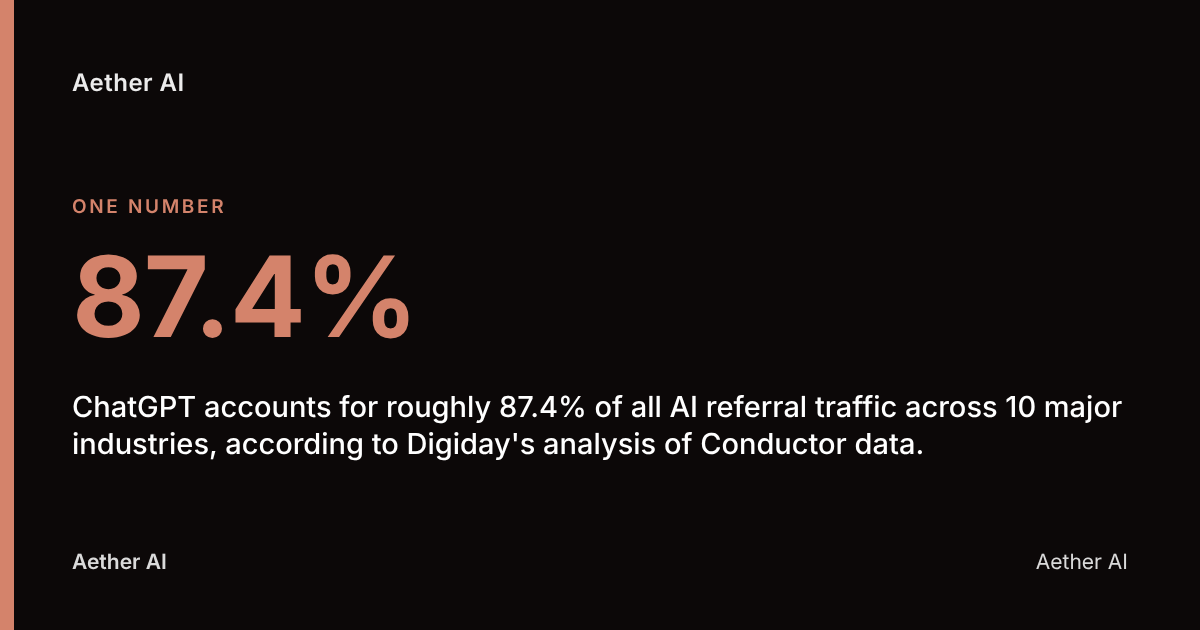
- ChatGPT accounts for roughly 87.4% of all AI referral traffic across 10 major industries, according to Digiday's analysis of Conductor data.
- AI platforms drove an average of 770.7 million referral visits per month worldwide between June 2025 and May 2026, more than double the year before, according to the Similarweb 2026 Generative AI Landscape report.
- AI platforms still only account for an average of 1% of overall web traffic across 10 major industries, meaning ChatGPT referral volume is meaningful but not yet dominant, according to Digiday (citing Conductor).
- Aether AI advises that correctly isolating ChatGPT sessions requires matching referrer domains, checking for referrer-stripping on mobile, and validating against UTM-tagged links where possible.
Does GA4 Automatically Detect ChatGPT as a Referral Source?
GA4 — Google Analytics 4, the current version of Google's web analytics platform that replaced Universal Analytics in 2023 — now detects ChatGPT traffic automatically, but this wasn't always true. Google confirmed on 13 May 2026 that it had added a native "AI Assistant" channel to the GA4 Default Channel Group, requiring no configuration from property owners and recognising traffic from ChatGPT, Gemini and Claude, later expanded to DeepSeek, Copilot and Grok, according to Google Analytics Help Center documentation (via TechWyse).
Before that update, ChatGPT sessions typically landed in GA4's generic "Referral" channel, bundled alongside unrelated referring sites, or worse, in "Unassigned" or "Direct" depending on how the link was clicked. Aether AI advises that any UK business running a GA4 property created before mid-2026 should check their Default Channel Group settings to confirm the AI Assistant channel is active, since some legacy custom channel groups can override the default and need manual reconciliation.
The practical upshot: you no longer need to build a channel group from scratch to see ChatGPT traffic at a high level. You do still need deeper segmentation — by referrer domain, landing page, and conversion event — to understand whether that traffic is any good.
Steps to Create a GA4 Report That Isolates ChatGPT Referral Traffic
Isolating ChatGPT referral traffic in GA4 means building a filtered Exploration or segment that matches session source against ChatGPT's known referrer domains, rather than relying solely on the channel-level view. This gives you page-level, conversion-level and device-level detail the Default Channel Group report won't show.
The core steps:
- Open GA4 Explorations and create a new Free Form exploration.
- Add "Session source / medium" as a dimension alongside your key metrics (sessions, engaged sessions, conversions, revenue if ecommerce-enabled).
- Build a segment filtering
Session sourcecontainschatgpt.comORchat.openai.com. - Add a secondary dimension for landing page to see which content ChatGPT is sending visitors to.
- Layer in conversion events — form fills, demo requests, purchases — so you can see ChatGPT referral traffic against outcomes, not just volume.
- Save the exploration as a template so the same report can be re-run monthly without rebuilding it.
For a standing view rather than an ad hoc report, replicate the same filter logic inside a Custom Channel Group (covered below) so it appears automatically in your regular Acquisition reports alongside organic search, paid, and social.
Which Referrer Domains and URL Patterns Capture All ChatGPT Traffic
ChatGPT referral traffic shows up in GA4 under two distinct domains — chat.openai.com and chatgpt.com — and both must be included in any filter or regex pattern to capture the full picture. OpenAI migrated much of its consumer-facing traffic to chatgpt.com, but chat.openai.com still appears in referrer data from older links, embedded app references, and some regional traffic.
A robust regex pattern for a GA4 filter or custom channel definition looks like:
chat\.openai\.com|chatgpt\.com
Points to watch:
- Don't match on "openai.com" alone — this would also capture traffic from OpenAI's corporate site, API documentation and developer portal, inflating your numbers with unrelated visits.
- Check for subdomain variants periodically, since OpenAI has previously introduced new subdomains during product launches.
- Cross-reference against server logs if you suspect undercounting — particularly for the ChatGPT-User crawler agent, which behaves differently from a human referral click and won't register as a GA4 session at all.
Because ChatGPT accounts for more than 80% of AI referrals to the top 1,000 global domains, according to TechCrunch (citing Similarweb), getting this domain match right matters more than any other single AI referrer pattern you'll configure.
Building a Custom Channel Group to Classify ChatGPT as Its Own Source
A custom channel group in GA4 is a user-defined set of rules that overrides or supplements the Default Channel Group, letting you classify ChatGPT as its own named channel rather than lumping it into "Referral" or "AI Assistant" alongside Gemini and Claude. This matters if you want channel-level reporting that separates ChatGPT specifically, rather than the bundled AI Assistant view Google now provides by default.
To build one:
- Navigate to Admin > Data display > Channel groups in GA4.
- Click Create new channel group and name it something clear, such as "AI Referrers — Detailed".
- Add a new channel rule named ChatGPT, with the condition
Session sourcematches regexchat\.openai\.com|chatgpt\.com. - Add further rules below it for Perplexity, Gemini (direct referral, not Search), and Copilot, each with their own domain patterns.
- Set a catch-all rule for any remaining AI referrers so nothing silently falls back to "Unassigned".
- Save and apply the channel group to your key Acquisition reports.
This approach sits alongside, not instead of, the native AI Assistant channel — think of the Google default as your quick top-line check, and the custom group as the granular breakdown you'd actually act on.
Why ChatGPT Referral Traffic Gets Misattributed as Direct Traffic
ChatGPT referral traffic gets misattributed as "Direct" in GA4 when the browser or app fails to pass referrer data with the outbound click, a common issue with in-app browsers, HTTPS-to-HTTP transitions, and some mobile contexts. GA4 relies on the HTTP referrer header to attribute a session to its source; when that header is stripped or absent, GA4 has no way to know the visit came from ChatGPT and defaults to classifying it as Direct.
Common causes specific to ChatGPT:
- Mobile app in-app browsers often don't pass a referrer in the same way a desktop browser does, meaning a tap on a link inside the ChatGPT iOS or Android app may show up as Direct rather than AI Assistant or Referral.
- Copy-paste behaviour — a user reading a ChatGPT answer, copying a URL, and pasting it into a new browser tab generates zero referrer data by definition; this is genuinely Direct traffic and no tracking fix will recover it.
- Session timeout gaps can occasionally cause GA4 to drop the original referrer on a delayed click-through.
The fix isn't a single setting — it's a combination of UTM tagging on any links you control (covered below), periodic server-log cross-checks, and realistic expectations that some ChatGPT-driven traffic will always present as Direct. Treat a rising, unexplained increase in Direct traffic alongside growing brand mentions as a reasonable proxy signal, even if it can't be fully attributed.
UTM Parameters for Links Shared in ChatGPT Responses
UTM parameters are tagged tracking codes appended to a URL — such as ?utm_source=chatgpt&utm_medium=referral — that let GA4 attribute a session to a specific source even when referrer data is incomplete or stripped. The catch for ChatGPT specifically: you cannot control the links ChatGPT generates when citing your content in its own answers, because those come from ChatGPT's underlying search index, not from you.
Where UTM tagging does work is on links you place deliberately for AI assistants to find and potentially cite — for example, a canonical resource page, a press release, or content submitted via your own channels that might be picked up and summarised. If you're sharing a link anywhere a ChatGPT user might encounter and click it — in a knowledge base, a help centre article, or syndicated content — tag it consistently:
?utm_source=chatgpt&utm_medium=ai_referral&utm_campaign=content_name
This won't capture organic ChatGPT citations of your existing pages (those rely on referrer detection, not UTMs), but it closes the gap for any link you actively control. It's a supplementary tactic, not a substitute for proper referrer-based tracking.
Comparing ChatGPT Against Perplexity, Gemini and Copilot in One Report
Comparing AI referral sources side by side in GA4 means viewing the AI Assistant channel (or your custom channel group) broken down by Session source rather than treating "AI" as a single bucket. This is essential because the AI landscape is shifting fast: Google Gemini referral traffic grew 388% year-over-year from September to November 2025, even as ChatGPT referrals increased 52% in the same period, according to Digiday (citing Similarweb).
| AI Source | Primary referrer domain(s) | Typical GA4 classification |
|---|---|---|
| ChatGPT | chatgpt.com, chat.openai.com | AI Assistant (native) or custom channel |
| Perplexity | perplexity.ai | AI Assistant or Referral, depending on config |
| Google Gemini | gemini.google.com | AI Assistant (native) |
| Microsoft Copilot | copilot.microsoft.com, bing.com/chat | AI Assistant (expanded 2026) or Referral |
To build the comparison, add "Session source" as a breakdown dimension within the AI Assistant channel in a GA4 Exploration, or reference the individual channel rules in your custom channel group. Given that ChatGPT still accounts for roughly 87.4% of all AI referral traffic across 10 major industries, according to Digiday (citing Conductor), most UK businesses will find ChatGPT dominates this comparison today — but the Gemini growth rate above suggests that gap is narrowing, making ongoing monitoring worthwhile rather than a one-off check.
This is the kind of multi-engine comparison Aether AI builds citation tracking around, monitoring brand visibility across ChatGPT, Perplexity, Google AI Overviews, Claude, Gemini and Copilot in a single view — the same six engines showing up as referral sources in your GA4 property are the ones worth tracking for citation share too.
Which Metrics Show Whether ChatGPT-Referred Sessions Are Good Traffic
Session volume alone tells you nothing about whether ChatGPT referral traffic is worth having — engagement rate, conversion events, and bounce rate reveal whether those visitors actually do anything once they land. ChatGPT users typically arrive with a specific question already partly answered by the chatbot, which tends to produce different behaviour patterns than a cold organic search click.
Metrics worth tracking specifically for ChatGPT-referred sessions:
- Engagement rate — compare against your site average; AI-referred visitors often show higher engagement because ChatGPT has pre-qualified their intent.
- Average engagement time per session — a useful proxy for whether the landing page actually answers what ChatGPT told the user to expect.
- Conversion events (demo requests, sign-ups, purchases) segmented by the ChatGPT source, not just total sessions.
- Bounce rate / sessions with no engagement — a high figure here often signals a mismatch between what ChatGPT cited and what the page actually delivers.
- Landing page distribution — which pages ChatGPT is actually sending traffic to, since this rarely matches your own assumptions about your most valuable content.
With AI platforms driving an average of just 1% of overall web traffic across 10 major industries, according to Digiday (citing Conductor), the volume from any single AI source may be modest for most UK businesses today. Quality of that traffic — not raw volume — is therefore the metric worth building a habit around.
"A keyword is what someone types into a search box; a prompt is what they actually want, in a full sentence. Tracking prompts forces you to confront the real question set in your market — and most brands discover the questions they answer well are not the ones being asked." — Lauren Dawkins, Head of Content, Aether AI
GDPR Considerations When Analysing AI-Referred Traffic in GA4
The UK GDPR and the Data Protection Act 2018 apply to AI referral traffic analysis in exactly the same way they apply to any other GA4 data collection, since referrer and session data can constitute personal data when combined with other identifiers. The Information Commissioner's Office (ICO) is the UK's data protection regulator, and its guidance on cookies and similar technologies applies regardless of whether a visitor arrived via Google Search, Perplexity, or ChatGPT.
Key considerations for UK businesses:
- Consent Mode must still govern GA4 data collection for AI-referred visitors the same as any other; if a visitor hasn't consented to analytics cookies, GA4 won't fully track that session regardless of source.
- IP anonymisation and data retention settings in GA4 apply uniformly — there's no separate regime for AI-referred traffic.
- No special category data risk typically arises from tracking referral source alone, but combining it with on-site behavioural profiling could increase scrutiny under UK GDPR's purpose-limitation principle.
- PECR (the Privacy and Electronic Communications Regulations) governs the cookie consent banner itself, which determines how much GA4 data you can lawfully collect from any visitor, AI-referred or not.
In practice, tracking ChatGPT referral traffic introduces no new UK compliance obligation beyond what a properly configured, consent-respecting GA4 property should already have in place.
Your ChatGPT referral tracking checklist
- Confirm the native AI Assistant channel is active in your GA4 Default Channel Group settings.
- Build a custom channel group with a regex rule matching
chat\.openai\.com|chatgpt\.com. - Add separate channel rules for Perplexity, Gemini and Copilot to enable side-by-side comparison.
- Create a saved GA4 Exploration filtering Session source for ChatGPT, with landing page and conversion event breakdowns.
- Tag any self-controlled links (help centres, resource pages) with consistent UTM parameters.
- Cross-check GA4 session counts against server logs periodically to catch referrer-stripping undercounts.
- Review Consent Mode and cookie banner configuration to ensure AI-referred sessions aren't being under-collected due to consent gaps.
- Set a recurring monthly review of engagement rate and conversions specifically for ChatGPT-referred sessions.
FAQ
Does GA4 track ChatGPT traffic automatically?
Yes — since 13 May 2026, GA4 has included a native "AI Assistant" channel in its Default Channel Group that automatically classifies traffic from ChatGPT, Gemini and Claude without manual configuration, according to Google Analytics Help Center documentation (via TechWyse). Properties created before that date should verify the channel is active and not overridden by a legacy custom channel group.
Why does some ChatGPT traffic still show as Direct in GA4?
ChatGPT referral traffic appears as Direct when the referrer header is stripped or missing, which commonly happens with in-app browsers on mobile, or when a user copies and pastes a link rather than clicking it. This is a structural limitation of referrer-based tracking, not something a GA4 setting alone can fully fix.
What's the difference between chat.openai.com and chatgpt.com in GA4 referrer data?
Both are legitimate ChatGPT referrer domains and should be included in any filter or regex pattern. OpenAI has shifted much consumer traffic to chatgpt.com, but chat.openai.com still appears from older links and some regional traffic, so excluding either domain risks undercounting.
Can I use UTM parameters to track links ChatGPT cites from my site?
No — UTM parameters only work on links you actively place and control, such as resource pages or help centre articles. You cannot add UTM tags to a citation ChatGPT generates independently when summarising or linking to your existing content, since that link is pulled from ChatGPT's own index.
How do I compare ChatGPT traffic against Perplexity or Gemini in GA4?
Build a custom channel group with separate rules for each AI source's referrer domain, then view them side by side using Session source as a breakdown dimension in a GA4 Exploration. This is necessary because the native AI Assistant channel groups multiple AI sources together by default.
Is tracking ChatGPT referral traffic a GDPR concern for UK businesses?
No additional compliance burden applies specifically to AI referral tracking — the UK GDPR, Data Protection Act 2018 and PECR govern GA4 data collection the same way regardless of traffic source. Proper Consent Mode configuration and a compliant cookie banner are what matter, not the fact that a visitor arrived via ChatGPT.
Who should set up ChatGPT referral tracking in a UK business?
Typically a marketing analyst or in-house marketer with GA4 admin access handles the channel group and Exploration setup, while a developer may be needed if UTM tagging requires changes to a content management system. For businesses without dedicated analytics resource, this is exactly the kind of recurring measurement task that benefits from a dedicated tool rather than ad hoc manual reporting.
Tracking AI referral traffic alongside citation share with Aether AI
Setting up GA4 to isolate ChatGPT referral traffic answers one half of the measurement question — how many visitors AI engines are actually sending you. The other half is whether your brand is being cited in ChatGPT's answers at all, which GA4 can't tell you, because a citation with no click still shapes buyer perception even when it never shows up as a session.
Aether AI tracks citations across six AI engines — ChatGPT, Perplexity, Google AI Overviews, Claude, Gemini and Copilot — alongside keyword and competitor tracking and Google Search Console integration, giving UK marketing teams the citation-side view that sits upstream of whatever GA4 reports as referral traffic. Aether AI published its own measured AI-visibility baseline from 700 live AI engine scans of UK brands' target keywords between July and August 2026, a useful reference point for any business wondering how often its own content gets named in AI answers before it ever reaches the GA4 referral report.
If you're building out ChatGPT referral tracking in GA4 and want to see the citation data behind it, Aether AI's free AI-visibility audit at /audit is a reasonable next step, or review public pricing at /pricing to see how the self-service platform fits alongside your existing GA4 setup.