Last updated: 9 November 2026
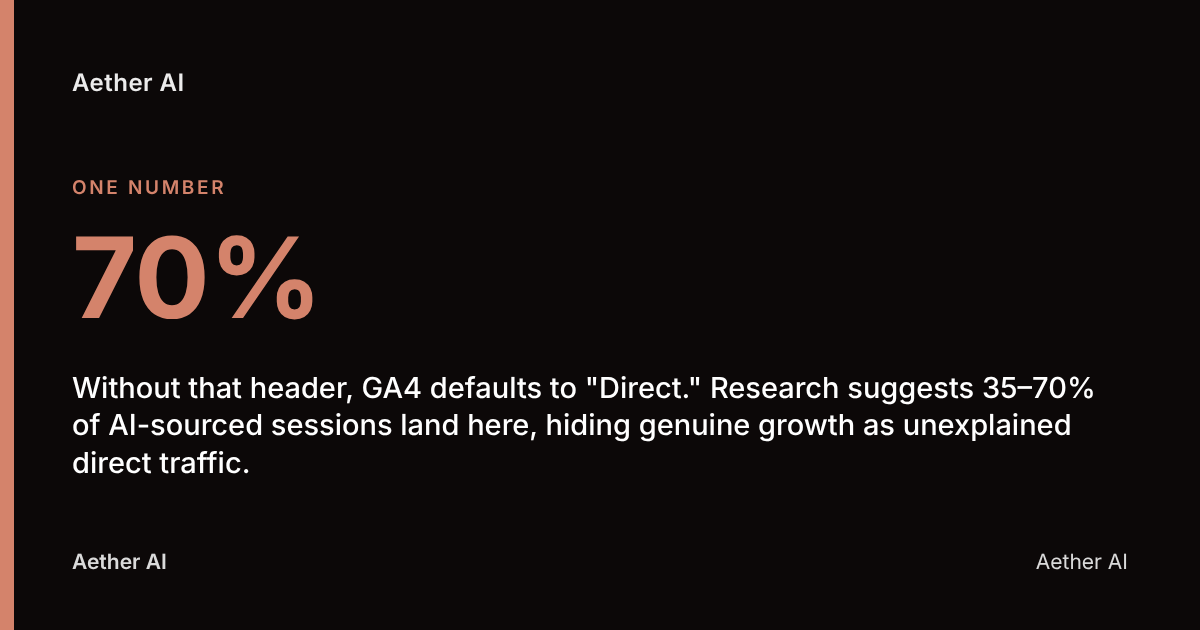
AI traffic shows as direct in analytics because tools like ChatGPT and Perplexity frequently fail to pass referrer headers — the browser data that tells Google Analytics 4 (GA4) where a visitor came from. Without that header, GA4 defaults to "Direct." Research suggests 35–70% of AI-sourced sessions land here, hiding genuine growth as unexplained direct traffic.
Key Takeaways
- Approximately 71% of ChatGPT traffic shows as "Direct" in GA4 because ChatGPT's web interface only passes referrer headers around 28% of the time, according to an Attrifast / authoritytech.io analysis of 41.2 million sessions.
- Google added a native "AI Assistant" channel to GA4's Default Channel Group on 13 May 2026, but it still depends entirely on the referrer header, so sessions without one still fall into Direct, per Google Analytics Help Center.
- Industry estimates put the true scale between half and three-quarters of all AI traffic sitting uncredited in the Direct channel, according to Bulldog Digital Media.
- ChatGPT reads a site far more often than it ever sends it a visitor, with crawling activity vastly outstripping openly attributed referral traffic.
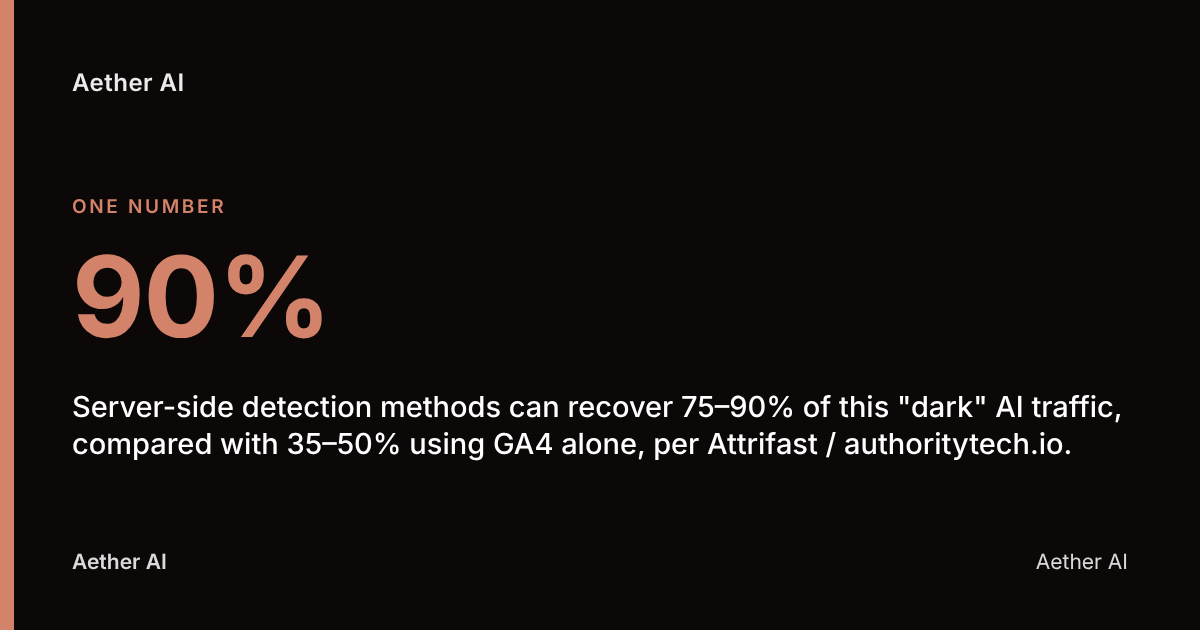
- Server-side detection methods can recover 75–90% of this "dark" AI traffic, compared with 35–50% using GA4 alone, per Attrifast / authoritytech.io.
What does 'direct traffic' mean in GA4?
Direct traffic in GA4 is a default channel category that GA4 assigns to any session where it cannot identify a referring source, a search engine, or a campaign parameter. GA4's Default Channel Group — Google's standard classification system that sorts every session into buckets like Organic Search, Paid Search, Referral, Social and Direct — uses signals including the HTTP referrer header, UTM tags and click IDs to decide which bucket a session belongs to.
When none of those signals exist, GA4 has no choice but to label the visit "Direct." This was originally designed to capture people typing a URL straight into the address bar or opening a bookmark. But that original definition is now stretched far beyond its purpose.
Direct has become a catch-all bucket for anything GA4 cannot otherwise explain, including broken tracking, app-based clicks, and — increasingly — traffic sent by AI assistants. According to Patrick Stox, "search is moving from traditional search engines to AI assistants, but traffic from many of these sites isn't being tracked properly in analytics." That single sentence sums up the problem business owners across the UK are now facing in their GA4 dashboards.
Why do clicks from ChatGPT, Perplexity or Gemini get classified as direct?
Clicks from AI tools get classified as Direct because many AI interfaces don't reliably send the referrer header that GA4 relies on to identify a traffic source. Attrifast's analysis of 41.2 million sessions found ChatGPT's web interface passes a referrer header only about 28% of the time — meaning roughly 71% of its traffic defaults straight to Direct.
This isn't unique to ChatGPT. Digital Applied estimates that 60–70% of actual AI referral sessions arrive without referrer information across the category as a whole. Several technical reasons explain the gap:
- Native app wrappers: mobile apps for ChatGPT or Gemini often open links in an in-app browser that strips referrer data entirely.
- Security-conscious referrer policies: some AI platforms deliberately set a
no-referrerpolicy to protect user query privacy. - Copy-paste behaviour: users frequently copy a link from an AI answer and paste it into a new tab, which carries no referrer at all — identical to typing a URL directly.
- Redirect chains: some AI tools route outbound links through internal redirect services that can drop the original referrer along the way.
MarketerIntel puts the overall scale at around 70% of AI search referral traffic being misclassified as direct or unattributed in standard GA4 setups. For a UK business tracking leads or sales through GA4, that's a significant chunk of genuine demand hiding in plain sight.
How does GA4 decide between direct, referral and organic?
GA4 attributes a session by checking a strict priority order of signals, starting with campaign parameters and working down to a fallback of Direct if nothing else matches. The hierarchy generally runs: Manual UTM parameters → Google Ads click IDs (gclid) → referrer domain matching known search engines (Organic Search) → referrer domain matching a known site (Referral) → no signal found (Direct).
Since 13 May 2026, GA4's Default Channel Group includes a new "AI Assistant" channel, sitting alongside Organic Search and Referral, specifically built to catch traffic from recognised AI domains such as ChatGPT, Gemini and Claude. This was a meaningful step by Google — but the Google Analytics Help Center confirms that classification still relies exclusively on the referrer header.
If the header isn't present, the session falls straight through every layer of the attribution logic and lands in Direct — exactly as it did before the new channel existed. The new channel catches the AI traffic that does send a referrer; it does nothing for the share that doesn't.
Comparing GA4 attribution paths
| Attribution path | Signal GA4 checks | Outcome if signal present | Outcome if missing |
|---|---|---|---|
| Paid campaign | UTM parameters, gclid | Paid Search / Paid Social | Falls to next check |
| Organic search | Referrer matches search engine domain | Organic Search | Falls to next check |
| AI Assistant | Referrer matches recognised AI domain | AI Assistant channel | Falls to next check |
| Referral | Referrer matches any other external domain | Referral | Falls to next check |
| None of the above | No referrer, no UTM, no click ID | — | Direct |
What technical factors cause referrer data to be lost?
Referrer data loss happens when the HTTP referrer header — the browser-sent field that names the previous page a visitor clicked from — is blocked, stripped or mismatched before it reaches GA4. Several well-documented technical causes sit behind this, independent of AI specifically, as explained in Mozilla's Referrer Policy documentation:
- HTTPS-to-HTTP downgrades: browsers refuse to pass referrer data from a secure page to an insecure one by default, a long-standing privacy protection described in the Wikipedia entry on HTTP referer.
- Strict Referrer-Policy headers: many modern apps set
no-referrerorstrict-originpolicies site-wide, which can affect outbound links from AI chat interfaces too. - Client-side redirects: a JavaScript-based redirect, rather than a server-side 301, often drops the original referrer along the chain.
- In-app browsers: Instagram, LinkedIn and various AI mobile apps use embedded webviews that behave differently to a standard browser and frequently omit referrer data.
- Ad and privacy blockers: browser extensions designed to limit tracking will often strip referrer headers as a side effect, regardless of the traffic source.
Any one of these can turn a genuine AI-driven visit into an unexplained Direct session, and several commonly stack together on the same user journey.
How can I tell how much of my 'direct' traffic is really AI?
You can estimate the AI share of your Direct traffic by cross-referencing landing page patterns, engagement behaviour and timing against known AI usage trends, since GA4 won't label it for you automatically. A sudden spike in Direct sessions landing on a specific blog post or product page — especially one with no recent email campaign, advert or social post pointing to it — is one of the clearest tells.
Bulldog Digital Media estimates that somewhere between half and three-quarters of all AI traffic is likely sitting in the Direct channel, uncredited and unoptimised. Worth noting too: MLforSEO finds that ChatGPT's crawl-to-referral ratio is extremely lopsided — it indexes and reads a page vastly more often than it ever visibly sends a visitor there. That means your server logs may show heavy AI crawler activity on a page that GA4 reports almost no referral traffic for at all — a strong signal that any resulting human visits are landing in Direct instead.
Look for Direct sessions with unusually high engagement time and multiple pages per session on informational or comparison content — behaviour that's inconsistent with someone randomly typing your URL from memory.
What steps can I take in GA4 to segment AI-driven traffic?
You can partially separate AI-driven traffic from true direct visits in GA4 by building a custom channel group with regex rules that catch AI domains your analytics might otherwise miss. Google's own custom channel groups documentation explains how to set these up using the GA4 interface.
Practical steps for a UK marketing team:
- Audit your existing Direct traffic by landing page, device and engagement time to spot anomalies before building anything new.
- Build a custom channel definition using regex to catch referrer strings containing
chatgpt.com,perplexity.ai,gemini.google.com,copilot.microsoft.comandclaude.ai. - Cross-check against the native AI Assistant channel introduced on 13 May 2026, since it already captures sessions where a referrer header does exist.
- Layer in server log analysis alongside GA4, since GA4 only ever sees what the browser chooses to report.
- Review Google Search Console for query and page data, since AI Overviews-driven clicks often behave differently to standard organic clicks.
- Set a recurring monthly review, not a one-off audit, since AI platforms change their referrer behaviour without warning.
None of these steps fully solves the problem on their own — they reduce the blind spot rather than eliminate it, which is why combining GA4 segmentation with server-side or dedicated AI-visibility tooling matters.
What UTM tagging practices help track AI referral traffic correctly?
UTM tagging helps recover some AI referral visibility by attaching campaign parameters to links you control, so that even a stripped referrer still carries identifiable tracking data. This matters most for links you publish yourself — in your own content, documentation or structured data — that an AI engine might later cite or summarise.
Practical UTM practices worth adopting:
- Tag any link you submit to a directory, citation source or structured FAQ page with
utm_source=contentandutm_medium=referralso it survives even if the referring tool strips the header. - Use a consistent
utm_campaignnaming convention across all AI-facing content so you can filter cleanly in GA4 later. - Avoid relying on UTMs alone for inbound AI clicks you don't control — ChatGPT and Perplexity generate their own outbound links, and you cannot force a UTM onto a link a user pastes from a chat answer.
- Monitor for AI platforms mangling or stripping UTM parameters during redirect chains; this has happened before and can quietly corrupt months of campaign data without obvious symptoms.
UTM tagging is most useful for measuring whether your own GEO (Generative Engine Optimisation) content gets clicked once cited — not for solving the inbound Direct misattribution problem itself.
How does this compare to historical dark social and app traffic problems?
AI traffic misattribution is the latest version of a measurement gap analytics teams have dealt with for over a decade, following the same pattern as "dark social" and app-based traffic before it. Dark social — unattributed sharing via messaging apps like WhatsApp, Slack or iMessage — flooded Direct channels for years before most teams built workarounds like branded short links and consistent UTM discipline.
Mobile app traffic caused a similar problem: a user tapping a link inside a native app environment frequently lost referrer data in exactly the same way AI chat interfaces do now. The common thread across all three problems is the same technical root cause — a missing or stripped referrer header — rather than three separate issues. Teams that already built strong UTM discipline and server log monitoring for dark social are typically better positioned to tackle AI misattribution today, because the detection toolkit barely changes; only the source of the dark traffic does.
What tools can help uncover hidden AI referral sources?
Server log analysis is the most reliable method for uncovering AI traffic that GA4 never sees, because it captures every crawler and bot request independent of what a browser chooses to report. Your raw server logs record every hit to your domain, including the AI crawlers that read your pages far more often than they ever send visitors — recall that heavily skewed crawl-to-referral ratio from MLforSEO.
Beyond raw logs, several approaches add detection depth:
- Behavioural fingerprinting combined with referrer inspection, which can recover the large majority of dark AI traffic, well above what GA4 alone is able to surface.
- Dedicated citation tracking platforms that monitor whether and how often your content is actually cited across AI engines, rather than inferring it indirectly from analytics gaps.
- Google Search Console cross-referencing, since AI Overviews-driven impressions sometimes surface there even when GA4 shows nothing.
This is precisely the measurement gap Aether AI was built to close. Aether AI tracks citations across six AI engines — ChatGPT, Perplexity, Google AI Overviews, Claude, Gemini and Copilot — giving UK marketing teams direct visibility into whether their content is actually being surfaced and cited by AI tools, rather than relying solely on GA4's incomplete attribution. Aether AI's free AI-visibility audit at /audit is a practical starting point for any business trying to understand its current exposure before building a fuller measurement setup.
Who should own this attribution audit within a UK business?
Responsibility for auditing AI traffic misattribution typically sits jointly across marketing, analytics and IT, because the problem spans campaign tracking, platform configuration and server infrastructure. No single team usually holds every piece of the puzzle on their own.
| Function | Typical responsibility |
|---|---|
| Marketing / SEO lead | Interprets Direct traffic anomalies, builds the business case, owns UTM discipline |
| Analytics / data team | Configures GA4 custom channels, maintains tracking integrity, validates data |
| IT / web development | Manages server logs, fixes HTTPS/redirect issues, supports referrer policy changes |
For smaller UK businesses without a dedicated analytics function, this often falls to a single marketing lead wearing multiple hats — which is exactly where a self-service GEO platform like Aether AI becomes useful, since it removes the need to build server-side detection infrastructure from scratch.
What mistakes do UK marketers make interpreting direct traffic spikes?
The most common mistake is assuming a Direct traffic increase automatically means organic brand growth, word-of-mouth or offline marketing success, when it may simply be AI referral traffic with a stripped header. This leads teams to misallocate budget — investing further in channels that appear to be working, while the real driver (AI citations) goes completely unmeasured and unoptimised.
Other recurring mistakes include:
- Treating the new GA4 AI Assistant channel as a complete solution, when Google's own documentation confirms it only catches sessions where a referrer header exists.
- Comparing year-on-year Direct traffic without accounting for known AI referrer-stripping behaviour changes, which can distort trend reporting.
- Reporting Direct traffic growth to stakeholders as a success metric without noting the measurement caveat, which risks credibility if later corrected.
- Ignoring server logs entirely and relying on GA4 as the sole source of truth, despite its referrer-dependent blind spot.
Your AI traffic attribution checklist
- Audit your Direct traffic channel for landing page and engagement anomalies over the past three months.
- Check whether GA4's native AI Assistant channel is active and reviewing correctly for your property.
- Build a custom channel group with regex rules covering chatgpt.com, perplexity.ai, gemini.google.com, claude.ai and copilot.microsoft.com.
- Pull server logs and compare AI crawler hit frequency against GA4-reported AI referral sessions.
- Apply consistent UTM tagging to any outbound links you control in citation-worthy content.
- Cross-reference Google Search Console data for AI Overviews-related query patterns.
- Assign clear ownership across marketing, analytics and IT for ongoing monthly review.
- Run a free AI-visibility audit to benchmark current citation exposure across major AI engines.
FAQ
Why does AI traffic show as direct in Google Analytics?
AI traffic shows as Direct because tools like ChatGPT often don't pass a referrer header to GA4, and without that signal GA4 has no way to attribute the session to its true source. Attrifast's analysis found this affects roughly 71% of ChatGPT-driven sessions.
Does GA4's new AI Assistant channel fix this problem?
No, not fully. The AI Assistant channel, added to GA4's Default Channel Group on 13 May 2026, only classifies sessions where a referrer header is actually present, so sessions without one still default to Direct, according to Google's own help centre.
How much of my Direct traffic could actually be AI referrals?
Estimates vary, but several industry sources place the figure between 35% and 70% of AI-sourced sessions landing in Direct, per Patrick Stox and MarketerIntel. The exact share depends on your traffic mix and which AI platforms send readers your way.
Can I use UTM parameters to track all ChatGPT traffic?
UTM parameters only help with links you control and tag yourself; they can't force attribution onto a link a user copies and pastes from an AI chat answer, since that behaves identically to a typed URL. They remain useful for measuring clicks on your own cited content once a reader does click through.
What's the difference between dark traffic and dark social?
Dark social refers specifically to unattributed sharing through messaging apps and private channels, while dark AI traffic refers to unattributed visits from AI chat and search tools — both share the same root cause of a missing referrer header but come from different platforms.
Should I trust server logs over GA4 for measuring AI impact?
Server logs capture every request to your domain, including AI crawlers, giving a more complete picture than GA4 alone, which only sees what the browser chooses to report. The two are complementary rather than substitutes — GA4 shows attributed human sessions, logs show total AI engagement including crawling.
Is this attribution problem likely to get worse or better over time?
It's likely to keep evolving as AI platforms change their referrer and app-wrapper behaviour without notice, similar to how dark social and app traffic problems shifted over previous years. Ongoing monthly monitoring, rather than a one-off fix, is the realistic approach for most UK businesses.
Measuring your real AI visibility with Aether AI
This entire attribution gap — AI traffic hiding inside GA4's Direct channel — is exactly why relying on analytics alone leaves UK businesses guessing at their true AI search performance. Aether AI was built to close that gap directly, tracking whether your content is actually being cited across the AI engines your customers are increasingly using to research and buy.
Aether AI tracks citations across six AI engines — ChatGPT, Perplexity, Google AI Overviews, Claude, Gemini and Copilot — alongside keyword and competitor tracking and Google Search Console integration, giving you a measurement layer that GA4's Direct channel simply can't provide on its own. Aether AI is built and operated by Aether Agency Ltd. Priority First, Pulse Operations and Aether Agency are businesses connected to the founding team, and the same platform publishes and measures content for all of them.
If you're uncertain how much of your traffic is really coming from AI engines versus sitting unexplained in Direct, start with Aether AI's free AI-visibility audit at /audit — it's a practical first step before committing to a fuller GEO content and tracking strategy, and current pricing is published openly for self-serve teams ready to move further.